
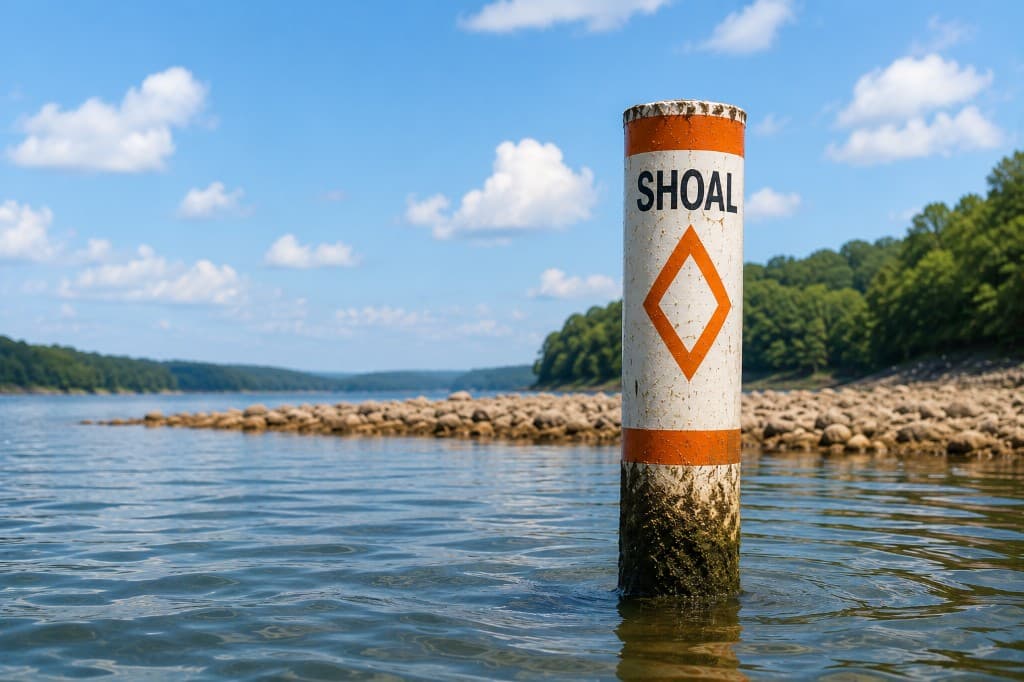
Most anglers trust the contour maps on their fish finders without realizing something important:
Your map may already be wrong before you ever launch the boat.
That does not mean your electronics are broken. In fact, your graph may be working perfectly. The problem is that lakes constantly rise and fall while most digital contour maps are built around a fixed water elevation.
If a lake is 4 feet low, every point, hump, shoal, creek channel, and flat on your screen is effectively shifted. Water that normally covers a dangerous rock pile may now barely protect your prop or lower unit.
And unless you manually adjust your electronics, your graph may still display the lake as if it were sitting at full pool.
That is why understanding lake level offset is so important.
Modern electronics from Humminbird, Garmin, and Lowrance all support water level or map offset adjustments. But there is one major limitation:
They do not update automatically.
You still need current lake level information every trip.
That is where Lake Insights becomes part of your launch routine—check current lake elevation, trends, and conditions before you adjust your graph and leave the ramp.
What Is Lake Level Offset?
Lake level offset is a setting inside many fish finders and marine mapping systems that allows contour maps to be adjusted for the lake’s current elevation.
Most mapping systems are built around a reference lake elevation, often called:
When the lake rises or falls, the underwater structure itself does not move—but the amount of water above that structure changes dramatically.
Lake level offset tells your electronics: “The lake is currently 3.8 feet below normal pool.”
The graph can then compensate by adjusting map depth presentation to better reflect real-world conditions.
Without this adjustment, your contour maps may still visually represent the lake as if it were full.
That can create major problems for both navigation and fishing.
Why Lake Levels Matter More Than Most Boaters Realize
Lake levels affect far more than just shoreline appearance.
They directly impact:
- boating safety
- navigation routes
- offshore fishing structure
- shallow hazard exposure
- contour map accuracy
On reservoirs with fluctuating water levels, just a few feet can completely change how safely a lake can be navigated.
A hump that normally sits 8 feet underwater may now only have 3 feet over the top. Long tapering points can become dangerous shoals. Submerged timber fields may suddenly become prop-level hazards.
Many lower unit failures happen because boaters trust what their maps used to show instead of what the lake actually looks like today.
This becomes especially dangerous:
- at night
- on unfamiliar lakes
- during winter drawdowns
- or after flood control releases
For background on how agencies report stage versus pool guides, see how lake levels are measured.
A Real-World Example
Imagine a reservoir with a normal pool elevation of 660 feet.
Today, the lake sits at 655 feet—5 feet below full pool.
Your contour map was created assuming the lake was at 660 feet.
Now consider a rocky point that normally has 7 feet of water over the top at full pool.
With the lake now 5 feet low, that same point only has 2 feet of water above it.
But unless your graph offset is adjusted, your electronics may still visually present that area as relatively safe depth.
That disconnect between “map depth” and “actual depth” is where expensive mistakes happen.
One shallow strike can:
- damage a prop
- crack a skeg
- destroy a lower unit
- or leave you stranded far from the ramp
Why This Matters for Fishing
This is not only about boating safety. It also affects fishing accuracy.
Modern anglers rely heavily on contour mapping to target ledges, creek channels, offshore humps, brush piles, shell beds, drains, and transition zones.
But fish positioning often changes as lake elevations change.
A brush pile planted in 20 feet at full pool may now sit in 15 feet. A productive offshore ledge may become too shallow during a drawdown period.
If your electronics are not adjusted properly:
- target depths become misleading
- structure positioning becomes less precise
- and your ability to pattern fish suffers
Tournament anglers pay close attention to lake elevations for this exact reason.
Your Graph Will Not Update the Offset for You
Humminbird, Garmin, Lowrance, and most other mapping-capable units have a water-level or chart offset setting—but the menu label changes by brand, model, and map card. Search your manual for terms like water level, lake level, or chart offset.
None of them download today’s pool elevation from the lake operator. You look up the current stage, do the math against full pool, and type the offset in yourself—every trip.
Make Lake Level Checks Part of Your Launch Routine
Experienced anglers often check weather, wind, water temperature, and generation schedules before launching.
Lake elevation should be part of that same routine.
Before every trip:
- Check the current lake elevation.
- Compare it to full pool or normal pool.
- Update your graph offset settings.
- Reevaluate shallow areas and navigation routes.
This becomes especially important on flood-control reservoirs, TVA lakes, Corps of Engineers lakes, hydroelectric reservoirs, and lakes experiencing seasonal drawdowns.
Using current lake level information helps improve boating safety, navigation confidence, fishing accuracy, and equipment protection.
Why Lake Insights Matters
Lake Insights helps anglers and boaters stay informed with current lake conditions before every trip.
Instead of relying on outdated assumptions about water depth, you can quickly check:
- current lake elevation
- water level trends
- lake conditions
- and reservoir status information
That information can then be used to properly adjust fish finder map offsets before leaving the ramp.
On each lake page, compare live stage to published pool bands and read the same datum labels your agency uses—then enter the difference into your graph.
For many boaters, this is not just about fishing performance. It is about protecting thousands of dollars in equipment from preventable shallow-water damage.
Key Takeaways
- Fish finder contour maps are usually based on a fixed reference elevation.
- Lakes constantly rise and fall due to weather, generation, and seasonal management.
- Lake level offset settings help align contour maps with actual conditions.
- Incorrect map depth assumptions can create navigation hazards.
- Updating offsets improves boating safety and fishing accuracy.
- You must enter the offset manually—your graph does not auto-update for pool changes.
- Lake Insights helps you check current lake conditions before every trip.
Frequently Asked Questions
- What is lake level offset?
Lake level offset is a fish finder or mapping setting that adjusts contour maps based on the lake’s current water elevation relative to the reference used to build the map—often full pool or a published conservation level.
- Do fish finders automatically update lake levels?
Most fish finders do not automatically know the current lake elevation. Users typically must manually enter water level offsets using current stage information from the lake operator or a service such as Lake Insights.
- Why is lake level offset important?
Lake level offset improves contour map accuracy and helps boaters avoid shallow hazards, shoals, rocks, and submerged structure when reservoirs are below or above normal pool.
- Can lake level offset help prevent lower unit damage?
Yes. Properly adjusted maps can help you better understand actual water depths over structure and identify shallow-risk areas before you strike a rock or bar.
- Which fish finders support lake level offsets?